
Kid's Guitar1.5 - App Store
You'll be able to see results in few seconds.
Publisher Description
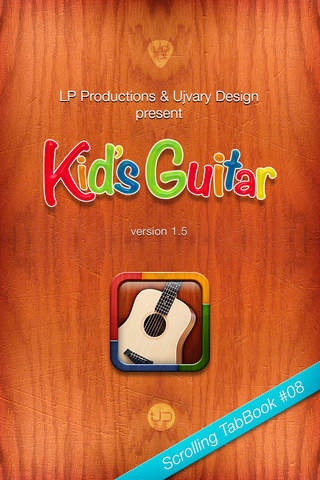
Kid's Guitar is a great learning tool for children (and even their parents, teachers, nurses, kindergarten teachers) who are interested in learning simple songs on the guitar quickly and easily. If you just started to play the guitar at school or on your own, and you feel need more resources, hints what chords to practice, tips on learning popular songs to entertain your friends & family, this is the right app for You. With our handy "scrolling songbook" system, you can easily follow the chord changes along with lyrics of the all-time favorite traditional songs. If you feel too busy to sing, our two down-to-the-earth singers (a schoolgirl and a teacher) will do it for You! With our unique Guitar/Voice slider in the app you can set volume of singer and the guitar at your convenience! We also have pictures and diagrams of every chord (designed for little hands) to catch to support your practice and two video footages to help you master the effective way of moving your fingers from one chord to the other.
Easy-to-read, teleprompter-like Scrolling Song system
Two track audio for each song
Alternative fingerings for little hands
Easy-to-understand pictures and diagrams
Special digital guitar tutorial songbook with useful interactive features
Hands-free autoscroll system
Scrolling speed adjustment in silent mode
Guitar / Voice balance slider
Scrolling Song screen supports portrait and landscape views
No automatic sleep when playback is on
Instant manual tablature scrolling while playback
Split screen video supplement for two songs with both hands
Requires iOS 5.1 or later. Compatible with iPhone, iPad, and iPod touch.
About Kid's Guitar
The company that develops Kid's Guitar is LP Productions Ltd.. The latest version released by its developer is 1.5.
To install Kid's Guitar on your iOS device, just click the green Continue To App button above to start the installation process. The app is listed on our website since 2012-12-10 and was downloaded 0 times. We have already checked if the download link is safe, however for your own protection we recommend that you scan the downloaded app with your antivirus. Your antivirus may detect the Kid's Guitar as malware if the download link is broken.
How to install Kid's Guitar on your iOS device:
- Click on the Continue To App button on our website. This will redirect you to the App Store.
- Once the Kid's Guitar is shown in the iTunes listing of your iOS device, you can start its download and installation. Tap on the GET button to the right of the app to start downloading it.
- If you are not logged-in the iOS appstore app, you'll be prompted for your your Apple ID and/or password.
- After Kid's Guitar is downloaded, you'll see an INSTALL button to the right. Tap on it to start the actual installation of the iOS app.
- Once installation is finished you can tap on the OPEN button to start it. Its icon will also be added to your device home screen.
Program Details
System requirements
Download information
Pricing
Version History
version 1.5
posted on 2012-12-10
Disclaimer
Official App Store Link
We do not host Kid's Guitar on our servers. We did not scan it for viruses, adware, spyware or other type of malware. This app is hosted by Apple and passed their terms and conditions to be listed there. We recommend caution when installing it.
The App Store link for Kid's Guitar is provided to you by apps112.com without any warranties, representations or guarantees of any kind, so access it at your own risk.
If you have questions regarding this particular app contact the publisher directly. For questions about the functionalities of apps112.com contact us.
